Season planning and periodization
Training periodization
Periodization represents a training concept according to which a year is divided into periods; during each period the athlete concentrates on certain aspects of his physical fitness, while trying to keep the achievements of the previous periods.
The following terms are used in the periodization concept:
Macrocycle — a segment of the training process which is characterized by complexity and completeness of the training system. Macrocycle includes several mesocycles and usually lasts a whole season. Completing a macrocycle allows to achieve the main goals set for the specific period. In Staminity macrocycle is called “Season plan”.
Mesocycle — a period within the macrocycle, which is intended for development of certain skills, has uniform goals and prepares an athlete for completing activities of the following mesocycle. It is a mid-term plan and it usually takes a few weeks to complete.
Periodization scheme defines a set of mesocycles used in season planning.
Microcycle — a short period within the mesocycle which has certain structure and solves short-term tasks. Repeating microcycles form mesocycles, and mesocycles - macrocycle. In Staminity microcycle is a training week.
Preparation for season planning
- Select a periodization scheme. Choose the set of mesocycles you will use when planning the season: the system scheme from “The Triathlete's Training Bible” by Joe Friel or your own scheme. Working with schemes is described in a separate section.
- Plan the key competitions of the season. How to create competitions - see the separate article; a competition can also be added right from the season plan.
- Create a season plan.
A season plan for yourself is available on the “Premium” tariff, for athletes - on the “Coach” tariff.
Create a season plan
Open the season plans item of the application menu. A coach lands on an athlete's plans right away - the athlete opened last time, or the first one; another athlete can be chosen in the header next to the section name.
If there are no plans yet, click the new plan button (if there are plans - the create button in their list) and set:
- the plan name;
- the start and end dates of the plan;
- the periodization scheme - required, Joe Friel's scheme is suggested by default;
- the planning measure: load (training load), distance or time;
- the plan description - the goals of the season.
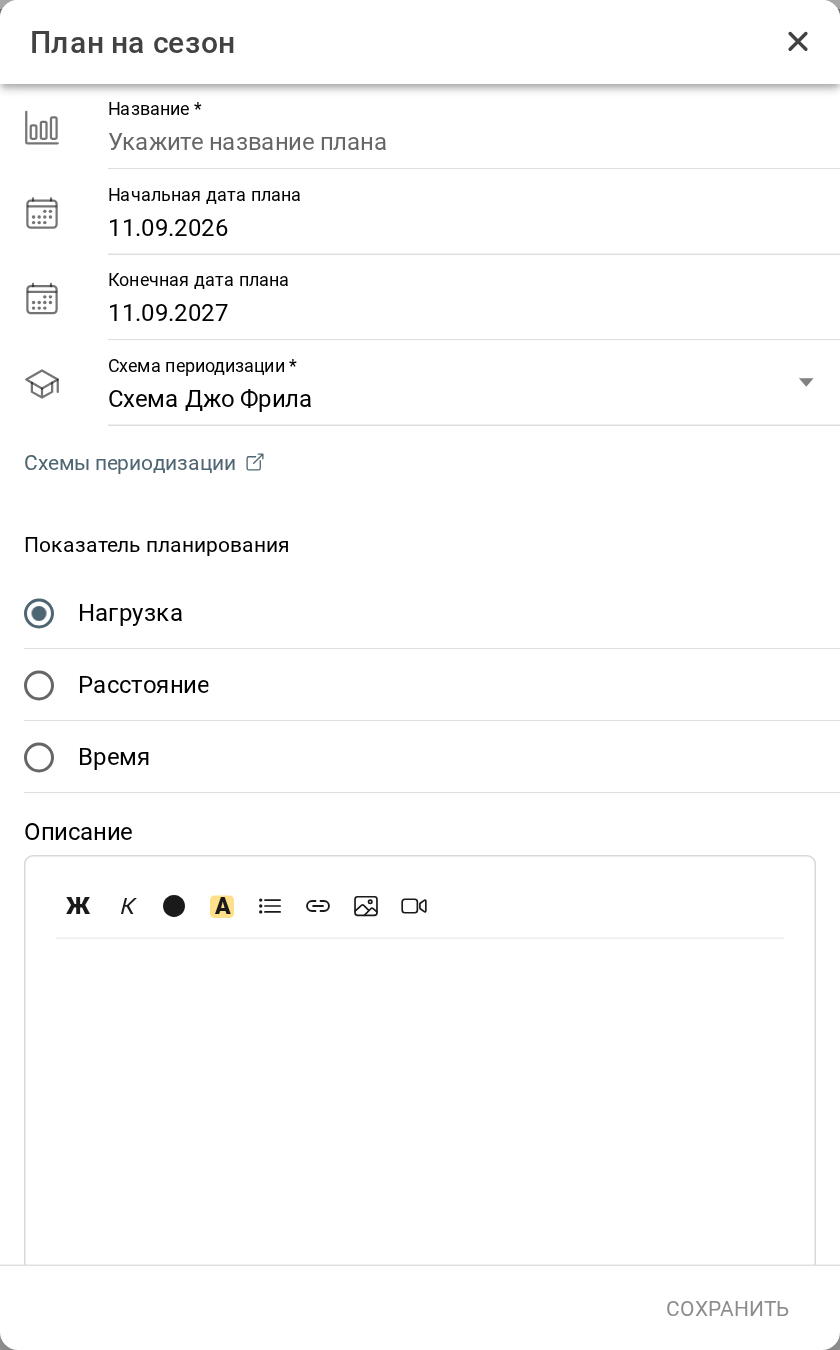
Be careful! After the season plan is created, its dates and planning measure cannot be changed.
Season plan
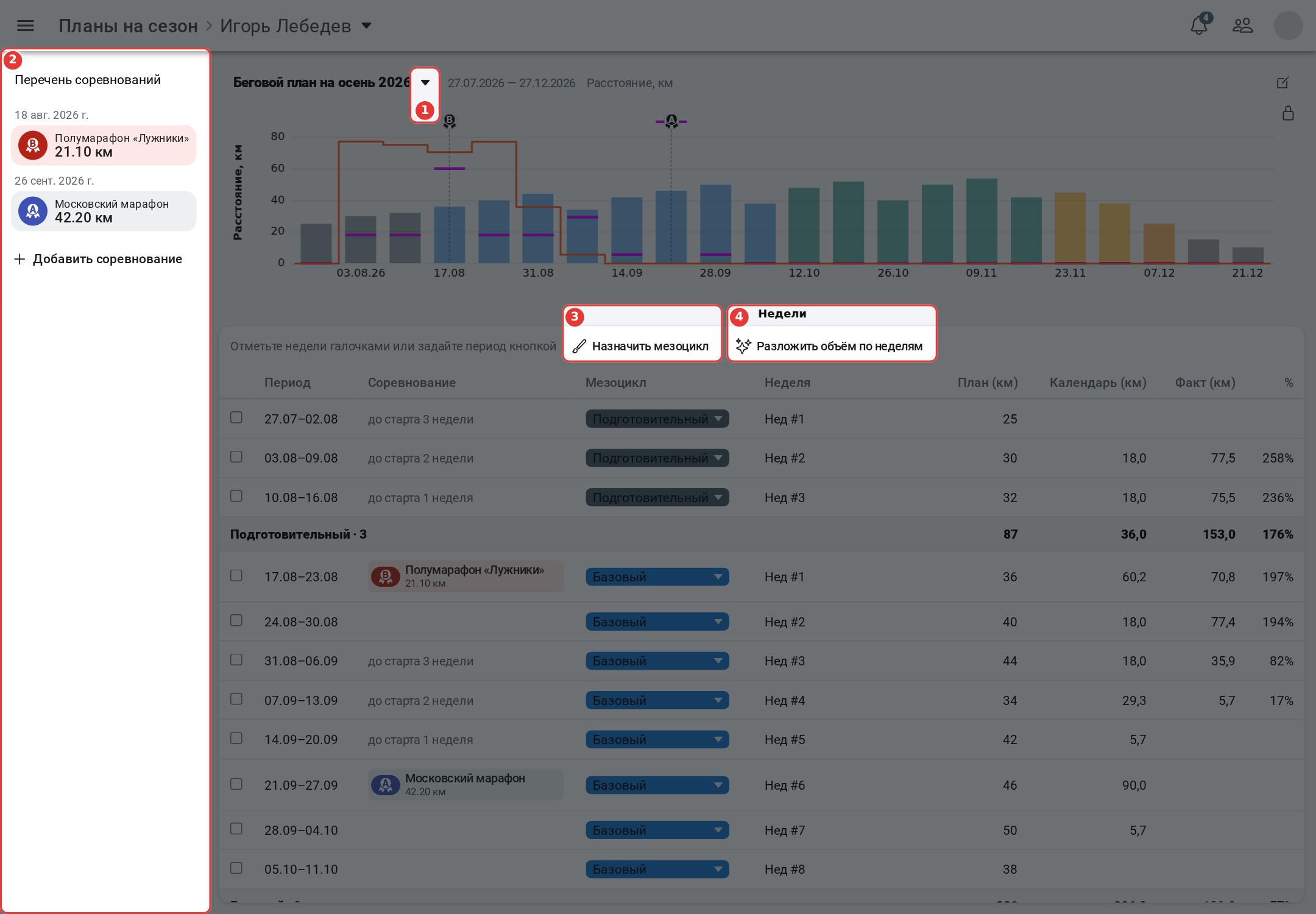
- 1 - plan switcher: if the athlete has several season plans, choose the required one here;
- 2 - the list of competitions within the plan period; the button below adds a new one;
- 3 - assign a mesocycle to several weeks in a row: set the start and end of the period and the mesocycle;
- 4 - distribute the volume by weeks - a wizard that calculates the planned volume of weeks (see below).
The chart shows the planned volume by weeks: the bars are colored with the week's mesocycle color. The tick on a bar is the volume planned in the calendar, and the line is the completed volume. Competitions are marked on the chart with a medal showing the priority. The lock on the right pins the chart while the table scrolls.
The table shows for each week the period, the competition (or how many weeks are left before it), the mesocycle, the week number within the mesocycle, the planned volume, the volume in the calendar, the fact and the percent of completion. Each mesocycle ends with a total row.
The week's mesocycle is chosen in the mesocycle column, the planned volume is entered in the plan column. You can check several weeks and assign a mesocycle to all of them at once.
The actual values of the season plan are calculated automatically from the plan in the calendar and the completed activities.
Distribute the volume by weeks
The wizard calculates the planned volume for the weeks that already have mesocycles:
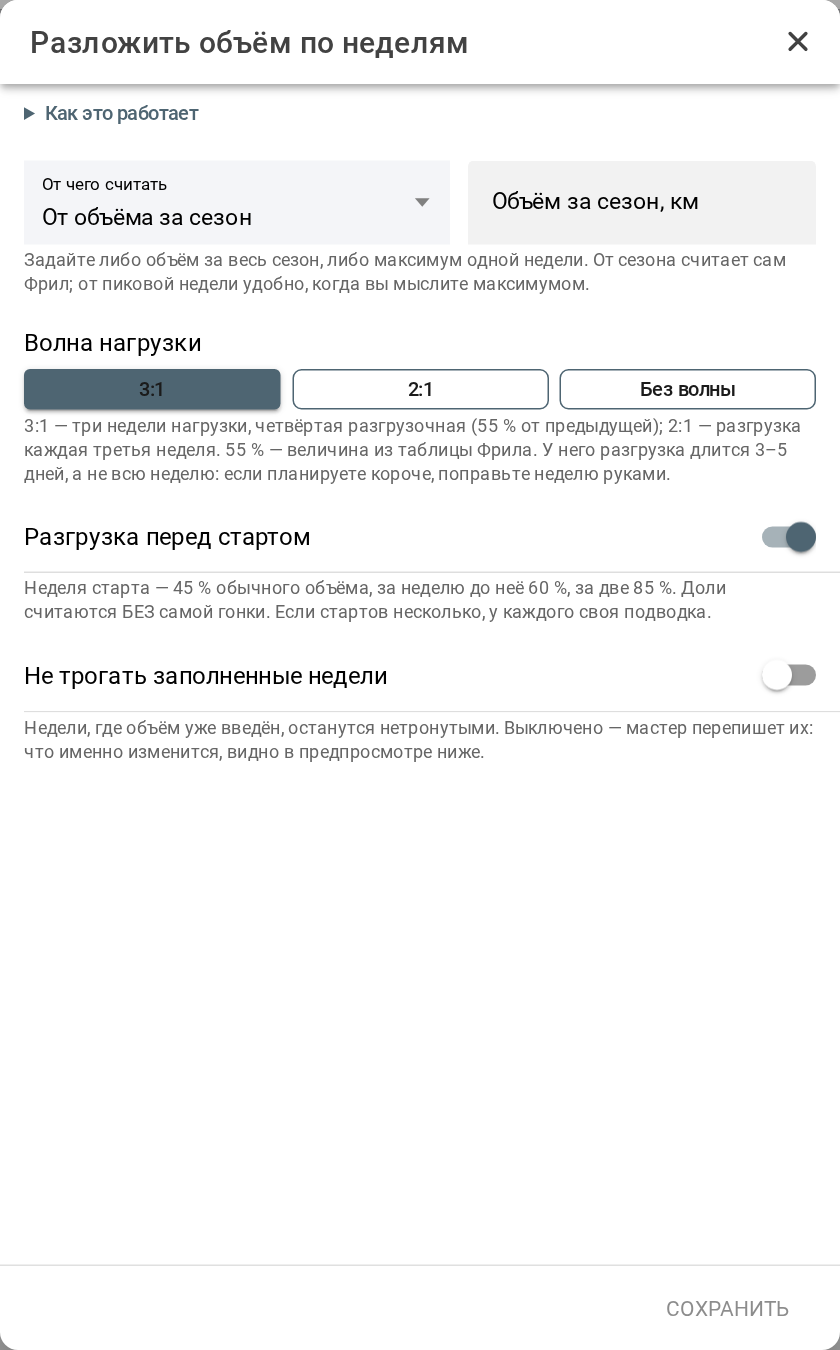
- What to calculate from: the season volume or the peak week volume;
- Load wave: 3:1 - three loading weeks and a recovery week, 2:1, or no wave;
- Taper before a race - reduce the volume in the race week and before it;
- Keep filled weeks - leave the weeks where the volume is already entered.
Before saving, the wizard shows which weeks change and how.
Mesocycles in the calendar
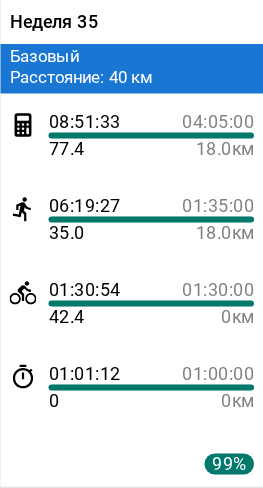
The week totals in the athlete's calendar show the week's mesocycle and the planned volume from the season plan. A click on it opens the season plan at this week.