
Search activities
The search finds activities, measurements and competitions for a period and lists them with indicators: to find the activity you need, compare similar ones or count the volume for a period.
It opens with the “Search activities” item of the side menu.
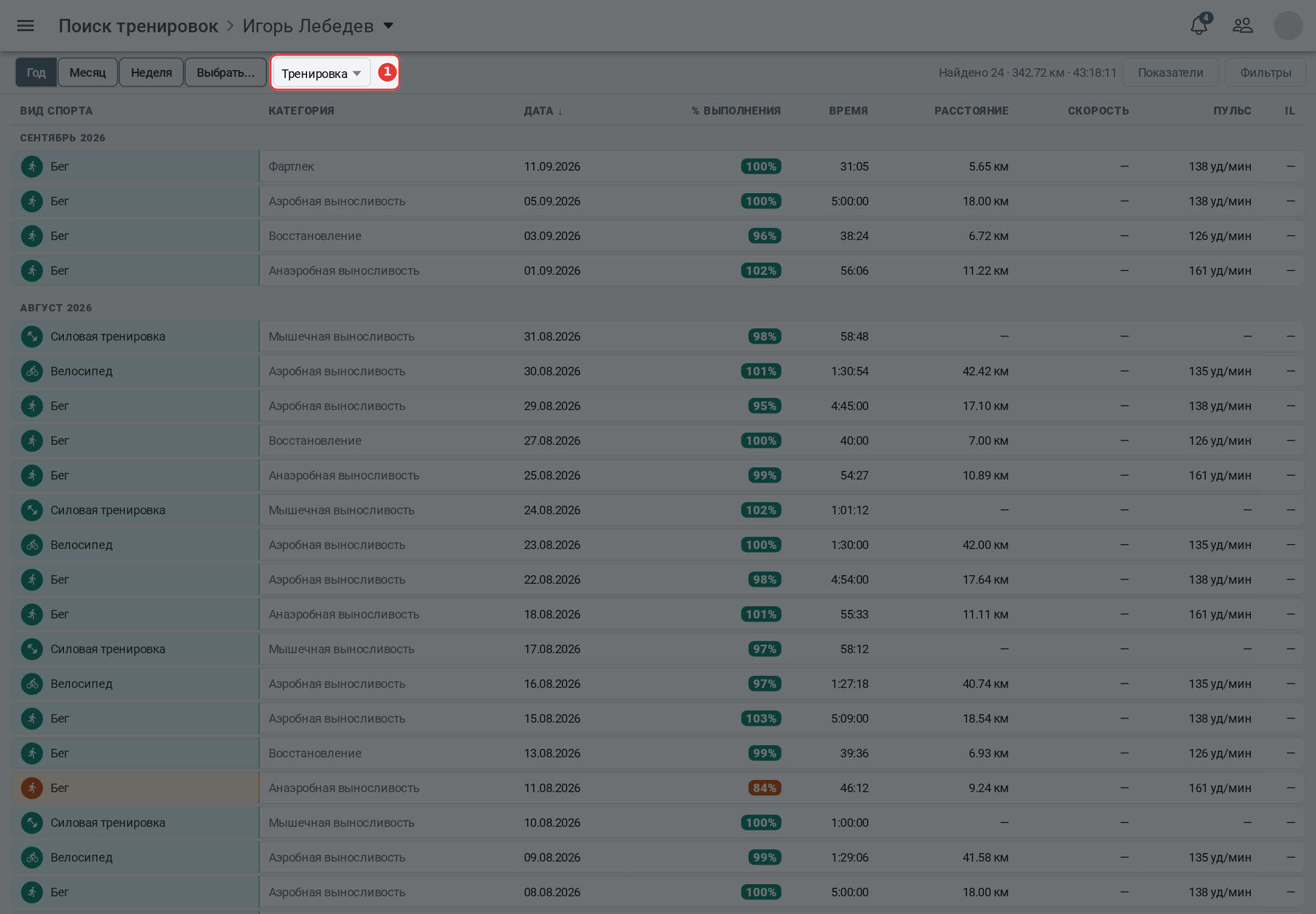
- 1 - record type: activities, measurements or competitions. The search does not find events.
On the right of the control row there are the measures button (which columns to show; each record type has its own set) and the filters button (the number in brackets is how many filters are set).
Period and filters
The period is chosen with the “Year”, “Month”, “Week” or “Pick…” buttons - the year by default.
Filters for activities:
- sport and category - the category can be chosen once a sport is chosen;
- from - to ranges for time and distance, and for the chosen sport - also for heart rate, speed or pace, power.
“Show planned” adds planned activities and competitions to the results; it is off by default. “Clear filters” clears the filters and the sorting.
On a wide screen sorting is done by clicking a column header, on a phone - in the filters window.
Results
On a wide screen the results are a table: sport, category (for a competition - its name), date and the chosen indicators. When sorted by date, rows are split by month. Above the table - “N found” and totals of kilometers and hours. Records are loaded by 50 - with the “Show more” button.
On a phone the results are a list: date, sport and category, time and distance. A tap expands the record, and the open button opens it.
A click on a row opens the record: an activity, a measurement or a competition. Found records cannot be copied, moved or deleted here - that is done in the calendar.
The app remembers the record type, period, indicators and sorting; filters are cleared the next time.
Searching an athlete's records
A coach searches athletes' records too: the athlete switcher is in the header (on a phone - in the row under the top bar). This requires access to athletes on the “Coach” tariff.
What the tariff opens
Search, period, filters and sorting are available to everyone. Some activity indicators - cadence, calories, elevation gain and loss, grade, VAM, efficiency factor, adjusted power, variability index, decoupling - are open for your own activities on the “Premium” tariff and for athletes' activities on the “Coach” tariff. Without the tariff such a cell shows “—”.