
Find a coach or club
The search finds Staminity coaches and clubs you can connect to. It opens with the “Find coaches and clubs” item of the side menu. In the web version the search is open even without signing in to Staminity.
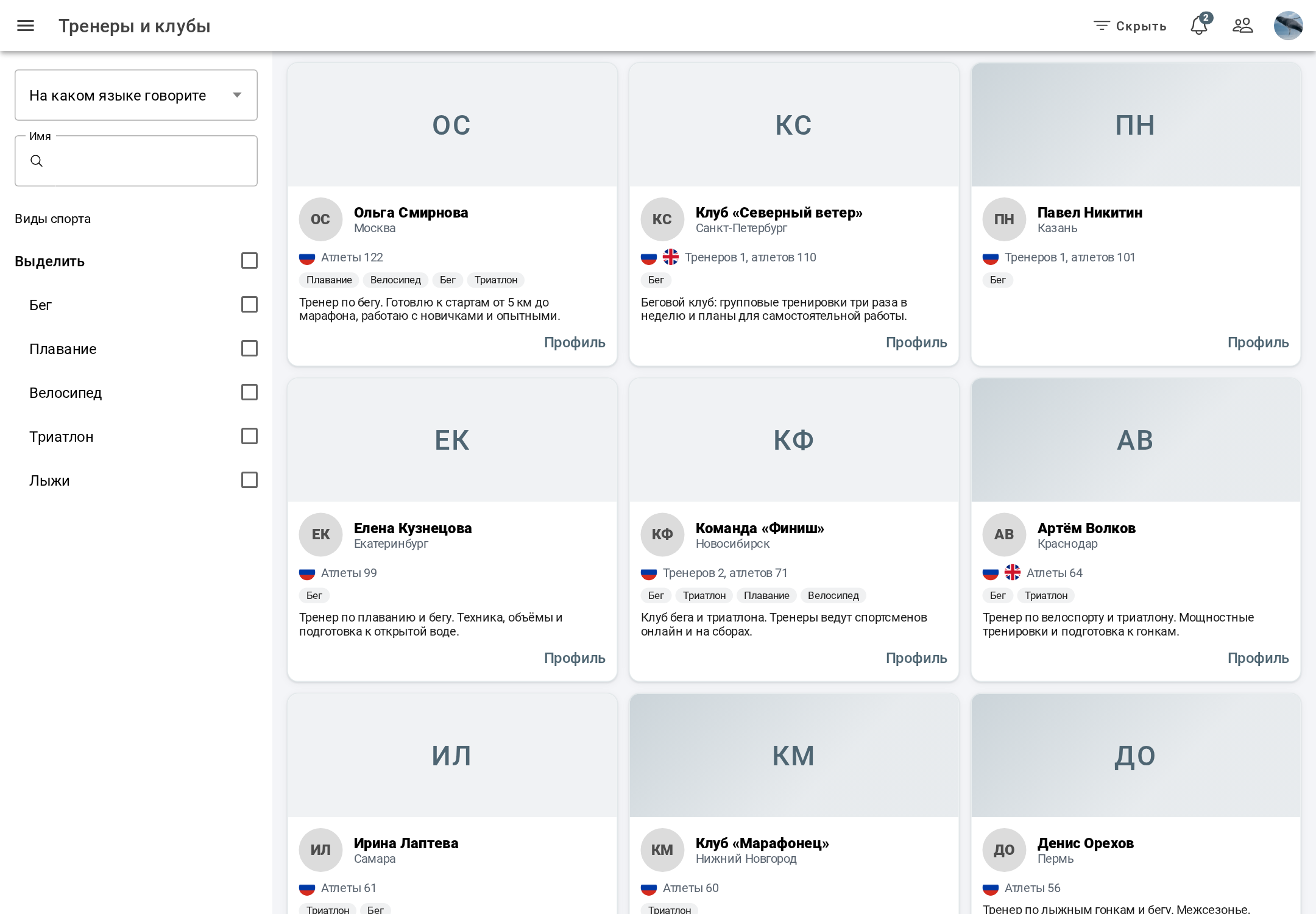
Filters
- coach's language - several can be chosen;
- name;
- sports: running, swimming, cycling, triathlon, skiing, and a select all / clear option.
On a wide screen the filters panel is hidden and shown with the “Hide panel / Show panel” button. On a narrow screen only the name field is left of the filters.
Results
Coaches and clubs are shown together, those with more athletes first. A card shows the photo, name, country and city, languages, the number of athletes (for a club - coaches and athletes), sports, the description and the “Profile” link.
A click on a card opens the coach's or club's profile - it has a button to send a request. How to connect to a coach or join a club is described in “How to connect to a coach and a club”.
If you are a coach and want to be found in search, fill in the coach profile.