
Profile
Your profile is how other Staminity users see you: photo, name, city, information about you, and for a coach - a coach profile with the training conditions.
Settings
Settings open from the avatar menu (top right corner) - the “Settings” item. It is one page of groups: profile, fitness, bills and tariffs (web version only), display preferences, synchronisation, calendars, notifications, account. On a wide screen there is a menu of the groups on the left.
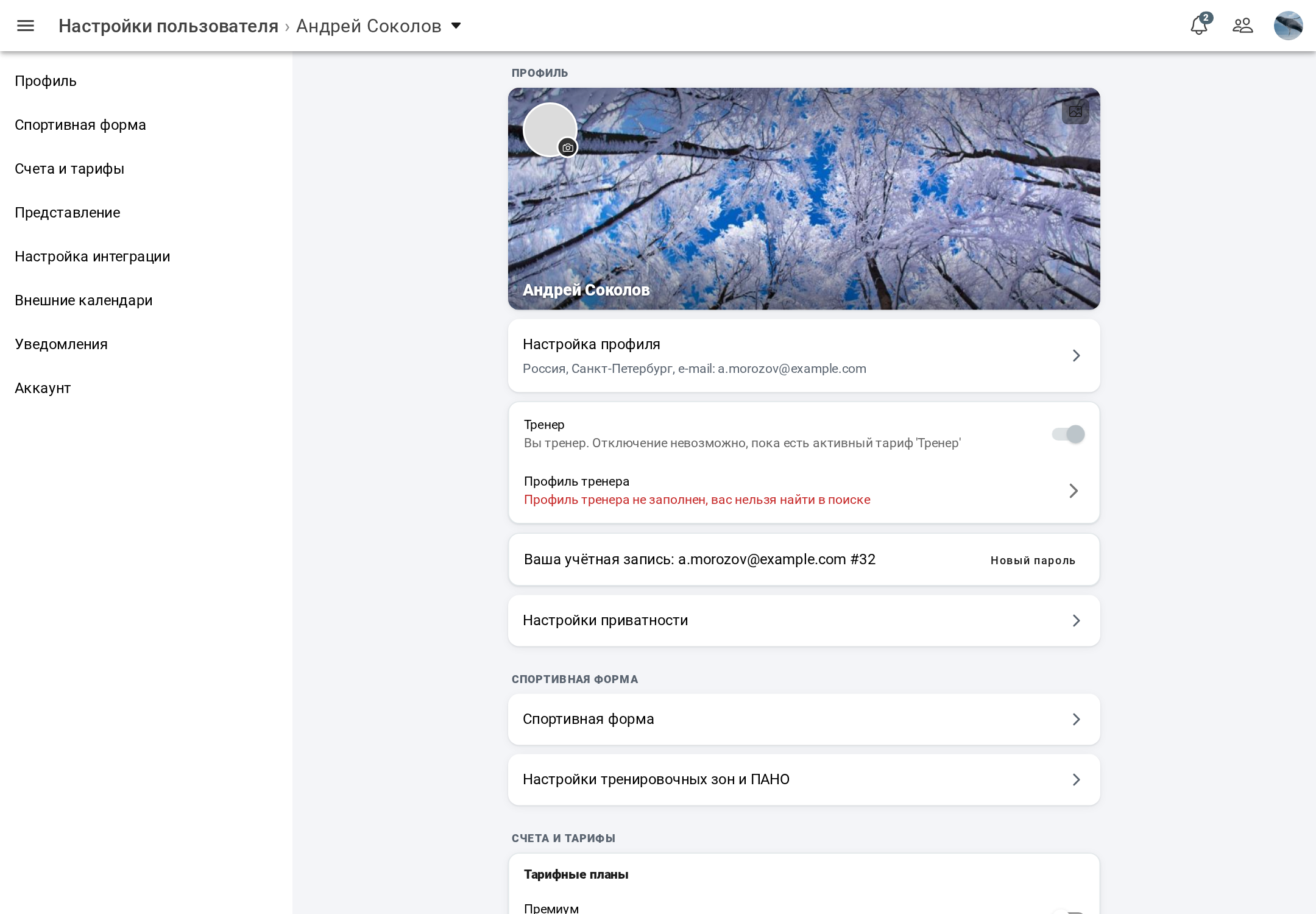
The profile group, from top to bottom: the header with the background, photo and name; the profile settings row; the coach card; the card with your account e-mail and the “Change password” button; the privacy settings row.
Photo and background
- The camera icon on the corner of the photo - “Change photo”;
- the picture icon on the background - “Change background”.
In the web version choose a file, in the mobile app - the camera or the gallery. Then cropping opens: the photo is a square with a round mask, the background is a wide strip. Change the scale with the slider and click “Save”. The new picture is shown everywhere at once.
The background matters especially for a coach: it is shown on the coach's card in search.
Personal info
The profile settings row opens “Personal info”:
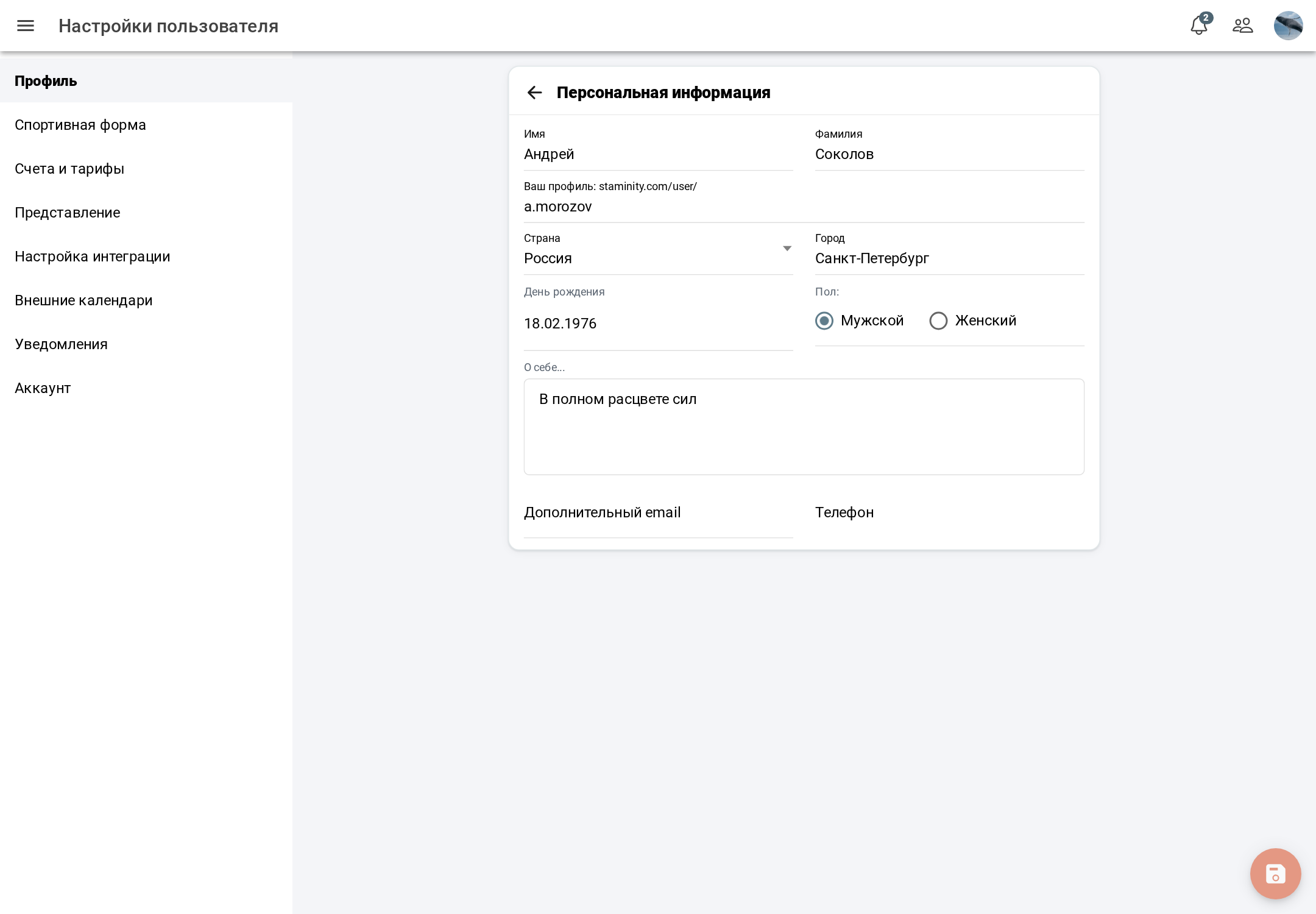
- First name and Last name - required;
- profile address - staminity.com/user/[alias], required;
- country and city;
- birthday and sex;
- “About you”;
- personal email and phone.
Changes are saved with the round button in the bottom right corner; while nothing is changed, it is inactive. Who sees this information is set in the privacy settings.
Coach profile
Athletes find you in search by the coach profile and send you a request. A coach has the “Coach profile” row in the coach card; if the profile is not filled in, there is a red note under it that you cannot be found in search.
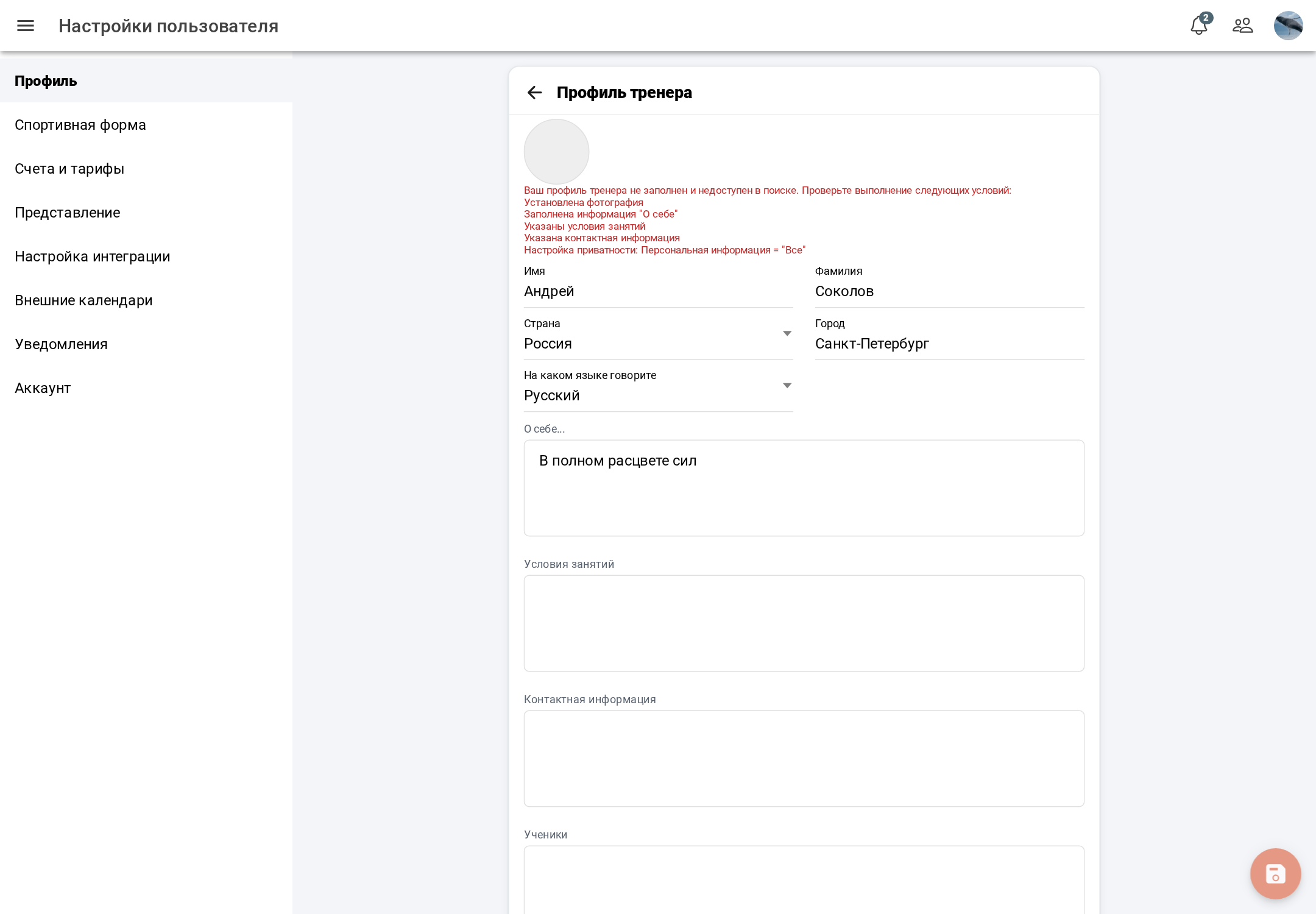
- First name, last name, country and city;
- Available languages - several can be chosen;
- About, Conditions, Contacts, Athletes - formatted text;
- availability for new athletes - accepting athletes or not.
The photo is only shown in the coach profile - it is changed in the settings header.
The coach profile counts as filled in if: a photo is uploaded, the first and last names are set, the “About”, “Conditions” and “Contacts” fields have text, and in the privacy settings personal information is visible to everyone. The filled-in mark is updated when the coach profile is saved.
Your page
The “Profile” item in the avatar menu opens your page - staminity.com/user/[alias]. It shows the background, photo and name, country and city, sex and age group, sports. For a coach - the training conditions, information about the coach, contacts, lists of athletes and clubs; for a club - information about the club, conditions and contacts. Long texts are collapsed.
A guest who is not signed in to Staminity sees the page header and a button offering to sign up. Your own page has the “Edit” button - it leads to the settings.